
Download Neexa AI – AI Sales Assistant, 24/7 Lead Conversion Tool
Overview – What Makes Neexa AI a Game‑Changer for Sales Teams
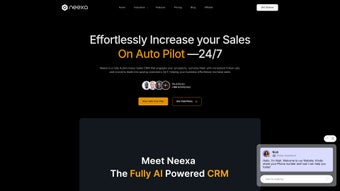
Neexa AI is a cloud‑based, always‑on artificial‑intelligence sales assistant that transforms website visitors and messaging contacts into qualified prospects without human intervention. Powered by a large language model fine‑tuned for sales dialogues, the platform mimics natural, human‑like conversation, offering negotiation tactics, product knowledge, and industry‑specific terminology that feels authentic. After signing up for a free account, users upload product catalogs, service descriptions, pricing tables, and unique selling points through an intuitive dashboard.
The AI then becomes a virtual sales rep that can be embedded on a website as a widget, launched as a full‑page link, or connected to WhatsApp Business for real‑time messaging. Designed for small‑to‑medium enterprises lacking a dedicated sales force, Neexa AI also scales for larger organizations that need to automate inbound lead handling. In addition to live chat, the platform generates instant analytics, performance reports, and a learning interface that lets managers teach the bot new processes or adjust its tone to match brand voice.
Upgrade paths provide deeper CRM integration, multi‑language support, and advanced lead scoring, ensuring the tool grows alongside the business. Whether you run an e‑commerce store, a SaaS platform, or a service‑oriented consultancy, Neexa AI promises to keep the sales funnel full, reduce response latency, and increase conversion rates—all while cutting staffing costs. The solution emphasizes security, GDPR compliance, and regular AI model updates, making it a reliable, future‑proof addition to any digital sales strategy.
Core Features, Benefits, Pros & Cons – Why Neexa AI Stands Out
- 24/7 AI‑driven chat widget that engages visitors instantly.
- Human‑like negotiation skills, including discount handling and upselling.
- Industry‑specific knowledge bases (e‑commerce, SaaS, healthcare, finance, etc.).
- Seamless integration with website, full‑page links, and WhatsApp Business.
- Real‑time AI‑generated performance reports and lead analytics.
- Customizable tone, language, and response style via a user‑friendly dashboard.
- Learning mode – train the AI on proprietary processes, FAQs, and product updates.
- Multi‑channel support for email, live chat, and messaging apps.
- Scalable pricing tiers with optional CRM and ERP connectors.
- Secure cloud hosting with GDPR‑compliant data handling.
Pros
- Always available: Eliminates missed opportunities caused by off‑hours.
- Cost‑effective: Reduces the need for multiple sales reps or call centers.
- Fast ROI: Users report conversion lifts of 15‑30 % within the first month.
- Easy setup: No coding required; drag‑and‑drop widget insertion.
- Data‑driven insights: Built‑in reporting helps refine sales scripts.
- Secure and compliant: GDPR, ISO‑27001, and TLS 1.3 encryption.
Cons
- Advanced CRM integrations are limited to higher‑tier plans.
- Initial AI training may require a few hours of product data entry.
- Complex negotiation scenarios can sometimes need human oversight.
- Free tier imposes daily chat‑session limits.
- Multi‑language packs beyond the core six require enterprise pricing.
Installation, Integration & Compatibility – Getting Neexa AI Up and Running
Step‑by‑step setup: After registering at NeexaAI.com, the onboarding wizard guides you through three core actions – creating a product catalog, configuring the chat appearance, and choosing an integration method. Upload CSV files, connect Google Sheets, or manually enter items via the dashboard. Once the catalog is saved, select “Widget” to receive a short JavaScript snippet.
Paste the snippet into the or of any HTML page, and the AI chat bubble appears instantly. For full‑page deployment, simply copy the generated URL and link it from your navigation menu. WhatsApp Business integration requires scanning a QR code from the Neexa dashboard, after which the AI will respond to inbound messages just like a human operator.
Compatibility: Because Neexa AI runs entirely in the cloud, it works on any modern browser (Chrome, Edge, Firefox, Safari) and on all major operating systems – Windows 10/11, macOS Ventura and later, Linux distributions, as well as mobile platforms (Android 12+, iOS 15+). The widget is responsive, automatically adjusting to desktop, tablet, and smartphone screen sizes. No local installation is needed, which simplifies IT management and ensures automatic updates without user intervention.
Security & updates: All communications between the visitor’s browser and Neexa servers are encrypted with TLS 1.3. Data storage follows ISO‑27001 standards, and the platform offers GDPR‑ready data‑export and deletion tools. Updates to the underlying AI model are rolled out weekly, guaranteeing the latest language understanding without any downtime for your site.
Supported operating systems include Windows, macOS, Linux, Android, and iOS – essentially any device capable of running a modern web browser.
Final Verdict, FAQ & Call‑to‑Action – Should You Download Neexa AI Today?
Neexa AI delivers on its promise of a round‑the‑clock sales assistant that feels genuinely conversational. Its blend of negotiation capabilities, industry‑specific knowledge, and easy deployment makes it a strong contender for businesses eager to automate lead capture without sacrificing personalization. The free trial lets you test the widget on real traffic, and the analytics dashboard provides transparent ROI metrics. While the most powerful CRM integrations and multi‑language options are gated behind higher‑priced plans, the core feature set is more than sufficient for startups and mid‑size firms looking to boost conversion rates quickly.
In short, if you’re searching for a secure, AI‑powered chat solution that can be activated within minutes, Neexa AI checks all the boxes. Take advantage of the 14‑day free trial, upload your catalog, and watch the AI start qualifying leads while you focus on closing deals.
Frequently Asked Questions – All You Need to Know About Neexa AI
Can I use Neexa AI with my existing CRM (e.g., HubSpot or Salesforce)?
Yes. While the basic plan only exports lead data as CSV, premium tiers provide native connectors for HubSpot, Salesforce, Zoho, and Pipedrive. The integration syncs contact information, conversation transcripts, and lead scores in real time, allowing sales teams to follow up directly from their CRM.
Is there a free trial or a freemium version?
Neexa AI offers a 14‑day free trial with full access to all core features, including WhatsApp Business integration. After the trial, you can continue on a free tier that supports the basic website widget but limits daily chat sessions and reporting depth.
How does the AI learn my specific product details?
The learning process is driven by the product catalog you upload and the “Teach the Bot” module in the dashboard. You can add FAQs, price tables, and custom response scripts. The AI refines its answers after each conversation, and you can review suggested improvements in the “Training Log”.
What languages does Neexa AI support?
The platform currently supports English, Spanish, French, German, Portuguese, and Mandarin. Additional languages are added quarterly, and you can request custom language packs for niche markets via the enterprise plan.
Is my data safe and compliant with privacy regulations?
Neexa AI adheres to GDPR, CCPA, and ISO‑27001 security standards. All chat logs are stored encrypted at rest, and you can export or permanently delete data at any time from the dashboard’s privacy settings.
Start your free trial of Neexa AI now and experience a smarter way to sell.



.png)



